CSUN Zoom Adds Smarter Tools for Campus Meetings and Webinars
CSUN students, faculty and staff have new ways to make online meetings easier through Zoom AI Companion, Zoom Webinars and Zoom Workplace.
CSUN’s Zoom platform is already a key campus tool for video, audio and screen sharing. CSUN users can host or schedule meetings with their CSUN email address or User ID, while guests can join from a computer, laptop, tablet or phone. Now, new Zoom features can help users spend less time managing meetings and more time focusing on the conversation.
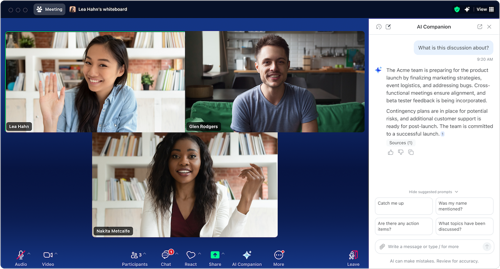
Zoom AI Companion can help meeting hosts and participants keep track of important details when the feature is enabled. Depending on meeting settings, it can summarize key points, help users catch up on what has been discussed and identify possible next steps. This can be useful for people who join late, step away briefly or need a quick recap after class, office hours or team meetings.
Zoom Webinars also offers AI support, including webinar summaries and webinar questions that can help hosts and panelists review or reference major points from an event, when enabled.
Zoom Workplace brings Zoom tools together in one updated experience. Available features include easier access to meeting assets, cleaner navigation, notes and AI-supported tools that can help turn conversations into action.
For the CSUN community, these updates mean Zoom can do more than connect people on screen. It can help organize ideas, capture key information and support better collaboration across campus.
To learn more, visit Zoom AI features, Zoom Workplace and Zoom Webinar Summary with Zoom AI.