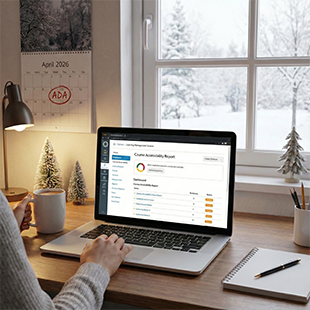
Accessible by April: A Guide to the Course Accessibility Report
The Americans with Disabilities Act (ADA) will apply specific requirements to course materials beginning April 24, 2026. One simple step you can take over the winter break to get ready is to check the Course Accessibility Report for your Spring 2026 course(s).
Make your favorite winter beverage, get comfortable, and open your computer. Over winter break, you can prepare for the Spring semester and the upcoming changes to the Americans with Disabilities Act (ADA) with just a few clicks.
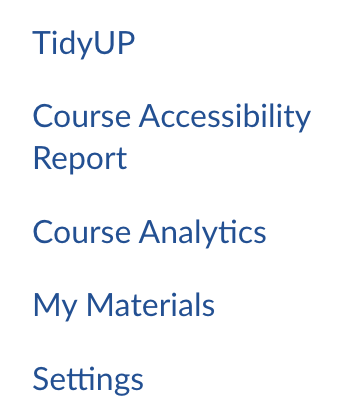
The Course Accessibility Report is available in each Canvas course, visible only to you as the instructor. You’ll find it in your course menu, usually near the bottom just above Settings.
The report itself appears on the Home tab. It gives your course an overall accessibility score but immediately starts breaking that down into actionable information like the impact to your students plus an “easiest to fix” button.

If you have Spring 2026 students with accommodations through Disability Resources and Educational Services (DRES) and/or NCOD: Deaf and Hard of Hearing Services, the report gives you a filter to focus on the immediate needs of your students. Under “by impact type,” select visual, auditory, cognitive, or motor.
Otherwise, the report can help you pick a strategy to raise your course score and help your students better engage with your course materials. Some possible next steps include:
- Big numbers in the report? Use the adjacent TidyUP tool to download and archive files you won’t be using in spring 2026, then remove them to streamline your course.
- Video issues? Send your videos to Deaf and Hard of Hearing Services for professional captions [https://www.csun.edu/ncod/ncod-deaf-and-hard-hearing-services/media-captioning].
- File issues? Attend an accessibility workshop [https://news.csun.edu/events-feed/academic-technology-worskshops-training/] or join one of our Canvas accessibility courses [https://www.csun.edu/universal-design-center/training/accessibility-canvas-courses].
- Not sure where to start? Make sure all your images have text descriptions (“alt text”), even the images in your files: best practices for accessible images [https://www.csun.edu/universal-design-center/training/best-practices/best-practices-accessible-images].