Events

Canva vs PowerPoint Design

Description: This session demonstrates the difference between Canva vs. Microsoft PowerPoint on creating accessible flyers and infographics content. Attendees are encouraged to take an introduction Flyers & Infographics Accessibility prior to this session to understand the best practices when designing an infographic. Recommended Attendees:  Graphic Designers, Marketing Specialist, Staff, IT Specialist, Web Developers, Web Content Creators, Instructional Support,… Continue reading Canva vs PowerPoint Design

Screen Readers & Accessibility Testing Tools

Description: In this training, attendees will learn about accessibility testing tools and methods to ensure websites meet web accessibility requirements and standards. Also, an introduction to text to speech or screen reader technology and how screen readers are essential to allow users who are blind or visually impaired to access information. Recommended Attendees: Web Developers, Information Technology Specialist,  Web Content… Continue reading Screen Readers & Accessibility Testing Tools

Faculty Coffee Hour: Accessibility Support for Faculty

Public colleges and universities are preparing for new digital accessibility requirements under the Americans with Disabilities Act (ADA) starting April 2026. Join us and learn more about how CSUN and the Chancellor’s Office are supporting faculty. Guest speakers include: Li Liu, Ph.D., from the College of Engineering & Computer Science Darvy Coreas, from the Chancellor’s… Continue reading Faculty Coffee Hour: Accessibility Support for Faculty

Word Accessibility

Description: This training will highlight the fundamentals of creating accessible documents using Microsoft Word 2019 or 365. Participants will learn key structural elements for creating accessible documents. Recommended Attendees: Staff, Faculty, IT Specialist, Web Developers, Web Content Creators, Graphic Designers, Instructional Support, Business Analysis, Financial Personnel, Marketing Specialist, and Admin Support. Learning Objectives Identify the principals of… Continue reading Word Accessibility

PowerPoint Accessibility

Description: This training demonstrates how to use the tools in Microsoft PowerPoint 2019 or 365 to add visual interest to presentations without creating accessibility barriers. How to convert your presentation to a tagged PDF or create an alternate format of Braille or large print. Participants will learn key structural elements for creating accessible documents. Recommended Attendees: Staff, Faculty,… Continue reading PowerPoint Accessibility
Social Media Accessibility

Description: Social media has revolutionized the way we communicate over the past decade and has established a dominant presence online. As technology continues to advance social media becomes a more crucial communication tool for our everyday activities. People can connect with their family members on Facebook or reach out to hiring recruiters on LinkedIn. Recommended Attendees: Staff,… Continue reading Social Media Accessibility

PDF Accessibility Tools

Description: This training will cover the fundamentals of creating accessible PDF documents using Acrobat Pro DC. Participants will learn key structural elements for converted Word to PDF documents. Recommended Attendees: Staff, Faculty, IT Specialist, Web Developers, Web Content Creators, Graphic Designers, Instructional Support, Business Analysis, Financial Personnel, Marketing Specialist, and Admin Support Learning Objectives Understand how Word… Continue reading PDF Accessibility Tools

Accessibility for Academic Support Staff

CSUN University Library 18111 Nordhoff Street, Northridge, CA, United States
Hybrid Hybrid Event

Workshop for academic support staff, to help you help your faculty navigate the new requirements under the Americans with Disabilities Act (ADA) taking effect in April 2026.

Accessibility for Academic Support Staff

CSUN University Library 18111 Nordhoff Street, Northridge, CA, United States
Virtual Event Virtual Event

Workshop for academic support staff, to help you help your faculty navigate the new requirements under the Americans with Disabilities Act (ADA) taking effect in April 2026.

Accessibility for Academic Support Staff

CSUN University Library 18111 Nordhoff Street, Northridge, CA, United States
Virtual Event Virtual Event

Workshop for academic support staff, to help you help your faculty navigate the new requirements under the Americans with Disabilities Act (ADA) taking effect in April 2026.

Accessibility for Academic Support Staff

CSUN University Library 18111 Nordhoff Street, Northridge, CA, United States
Virtual Event Hybrid Event

Workshop for academic support staff, to help you help your faculty navigate the new requirements under the Americans with Disabilities Act (ADA) taking effect in April 2026.

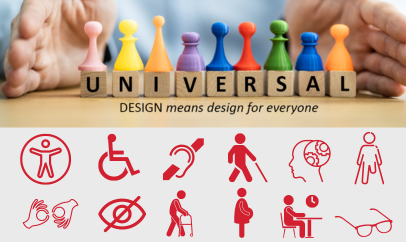
Introduction to Accessibility and Universal Design

These trainings are only available to CSUN employees. You are required to login with your CSUN credentials in order to access Microsoft Bookings form). If you encounter any issues while completing the training registration form, please contact udc@csun.edu. To register via Microsoft Bookings, go to the date of the workshop and select the time in… Continue reading Introduction to Accessibility and Universal Design

Scroll back to the top of the page