Events

  • Video Assignments with GoReact

    Online via Zoom; Connection details provided upon registration

    Hosted by Megan Duncan  GoReact is an interactive video platform for providing extensive feedback, critique, and grading of student video submissions. This workshop will help you get started using GoReact and will cover topics such as creating a GoReact assignment, reviewing submissions, and providing time-stamped feedback.  Join the event on Zoom You will need to be signed into Zoom with… Continue reading Video Assignments with GoReact

    5 Ways to Integrate AI into Your Assignments

    Online via Zoom; Connection details provided upon registration

    Hosted by Megan Duncan  Join us to explore five approaches for integrating generative AI into your assignments. We will discuss a range of strategies that help promote AI literacy and fluency among students while supporting their overall learning experience. Whether you’re looking to allow AI as an optional resource or embed it more deeply into your curriculum,… Continue reading 5 Ways to Integrate AI into Your Assignments

    Canvas Quizzes

    Online via Zoom; Connection details provided upon registration

    Hosted by Kacee Williams   This workshop provides an overview of building and using quizzes in your Canvas course. Topics will include: Creating questions and question banks, Assigning points, and Gradebook. Join this event on Zoom **If you require an ASL interpreter, please contact your department. ***For Zoom captions - please pre-enable automated captions/transcript on the Zoom website (not the app)… Continue reading Canvas Quizzes

    Empower Student Growth with ePortfolios

    Online via Zoom; Connection details provided upon registration

    Hosted by Kiara Gardea  Discover the power of ePortfolios! Join us for an engaging session on how ePortfolios can transform learning and help students tell their academic and professional stories. Meet with our ePortfolio Coordinator to explore practical ways to integrate ePortfolios into your courses and see how they empower students to showcase their skills, reflect on their growth, and launch confidently into their professional lives.  Join… Continue reading Empower Student Growth with ePortfolios

    ChatGPT for Teaching & Research

    Online via Zoom; Connection details provided upon registration

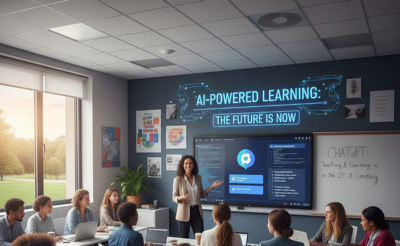
    Hosted by Dr. Deone Zell ChatGPT is a flexible AI assistant that can act as a teaching partner, research collaborator, and productivity tool. This session will demonstrate how to design interactive assignments, create simulations, and generate customized study materials for students, while also supporting literature reviews, drafting, and peer review simulations. You’ll also see advanced features like agent… Continue reading ChatGPT for Teaching & Research

    Lockdown Browser (in person)

    University Library Room 30

    Hosted by Charlie Mahoney  IN PERSON Workshop UL 30   This in-person workshop helps faculty use LockDown Browser to secure quizzes and exams in Canvas, while also learning how to guide students through downloading, installing, and testing the tool. We’ll walk through enabling LockDown in your course, explore Respondus Monitor options, and troubleshoot common student issues. You’ll leave with a quiz-ready setup, student instructions, and FTC… Continue reading Lockdown Browser (in person)

    Displaying Letter Grades in Canvas

    Online via Zoom; Connection details provided upon registration

    Hosted by Avo Topjian   Did you know Canvas can automatically display letter grades? Minimize confusion with the grades in your course by having your points or percentages automatically displayed as Letter Grades. This workshop will show you how to use this time saving function in your courses. Join the event on Zoom **If you require… Continue reading Displaying Letter Grades in Canvas

    AI in Adobe Express

    Online via Zoom; Connection details provided upon registration

    Hosted by Megan Duncan   Discover how Adobe Express’s AI-powered features can help you create stunning course visuals, handouts, presentations, and marketing materials. Learn to generate images, refine layouts, and streamline your creative workflow—even with no design experience.  Join the event on Zoom **If you require an ASL interpreter, please contact your department. ***For Zoom captions… Continue reading AI in Adobe Express

    Critical Thinking in the Age of AI

    Online via Zoom; Connection details provided upon registration

    Hosted by Dr. Joyce Marie Brusasco, Dr. Helen Heinrich, Dr. Deone Zell  In an AI-accelerated world, faculty play a critical role in helping students think critically with and about AI. This workshop explores practical strategies for designing learning activities that engage AI as a tool while emphasizing evaluation, bias detection, accuracy checking, and the essential role of human… Continue reading Critical Thinking in the Age of AI

  • Introduction to NotebookLM

    Online via Zoom; Connection details provided upon registration
    Virtual Event

    Hosted by Charlie Mahoney  Explore Google’s Notebook LM as a tool for organizing readings, summarizing complex topics, and supporting personalized learning. Learn how to import materials, generate structured study aids, and use AI responsibly to support research, teaching, and tutoring.  Join the event on Zoom *If you require an ASL interpreter, please contact your department.… Continue reading Introduction to NotebookLM

    Canvas Quizzes

    Online via Zoom; Connection details provided upon registration
    Virtual Event

    Hosted by Kacee Williams    This workshop provides an overview of building and using quizzes in your Canvas course. Topics will include: Creating questions and question banks, Assigning points, and Gradebook.… Continue reading Canvas Quizzes

    Canvas HTML with ChatGPT

    Online via Zoom; Connection details provided upon registration
    Virtual Event

    Hosted by Dr. Joyce Marie Brusasco   Learn how to push the layout and design of your Canvas pages to the next level by using ChatGPT to create the HTML code for… Continue reading Canvas HTML with ChatGPT