Events

Canvas Gradebook Setup

Online via Zoom; Connection details provided upon registration

You will need to be signed into Zoom with your csun.edu or my.csun.edu email address to join. If you are signed into the Zoom app with a different account, log… Continue reading Canvas Gradebook Setup

Spooky Tales of CyberCrime – Don’t Let Your Data be Possessed

Online via Zoom; Connection details provided upon registration

You will need to be signed into Zoom with your csun.edu or my.csun.edu email address to join. If you are signed into the Zoom app with a different account, log out of Zoom, and select the Single Sign-On (SSO) button near the bottom. If Zoom asks for a domain enter csun, and you will be… Continue reading Spooky Tales of CyberCrime – Don’t Let Your Data be Possessed

Spooked by Canvas? Tricks & Treats for Solving Common Problems

Online via Zoom; Connection details provided upon registration

You will need to be signed into Zoom with your csun.edu or my.csun.edu email address to join. If you are signed into the Zoom app with a different account, log out of Zoom, and select the Single Sign-On (SSO) button near the bottom. If Zoom asks for a domain enter csun, and you will be… Continue reading Spooked by Canvas? Tricks & Treats for Solving Common Problems

Canvas Pages and ChatGPT HTML

Online via Zoom; Connection details provided upon registration

You will need to be signed into Zoom with your csun.edu or my.csun.edu email address to join. If you are signed into the Zoom app with a different account, log out of Zoom, and select the Single Sign-On (SSO) button near the bottom. If Zoom asks for a domain enter csun, and you will be… Continue reading Canvas Pages and ChatGPT HTML

Creating Custom GPTs

Online via Zoom; Connection details provided upon registration

You will need to be signed into Zoom with your csun.edu or my.csun.edu email address to join. If you are signed into the Zoom app with a different account, log out of Zoom, and select the Single Sign-On (SSO) button near the bottom. If Zoom asks for a domain enter csun, and you will be… Continue reading Creating Custom GPTs

Free

Editing, Annotating, and Improving Panopto Videos

Online via Zoom; Connection details provided upon registration

You will need to be signed into Zoom with your csun.edu or my.csun.edu email address to join. If you are signed into the Zoom app with a different account, log out of Zoom, and select the Single Sign-On (SSO) button near the bottom. If Zoom asks for a domain enter csun, and you will be… Continue reading Editing, Annotating, and Improving Panopto Videos

AI in Action Empowering Health Science Students with AI: Research, Insights, and Innovation

Online via Zoom; Connection details provided upon registration

You will need to be signed into Zoom with your csun.edu or my.csun.edu email address to join. If you are signed into the Zoom app with a different account, log out of Zoom, and select the Single Sign-On (SSO) button near the bottom. If Zoom asks for a domain enter csun, and you will be… Continue reading AI in Action Empowering Health Science Students with AI: Research, Insights, and Innovation

Create GPTs with Your Students

Online via Zoom; Connection details provided upon registration

You will need to be signed into Zoom with your csun.edu or my.csun.edu email address to join. If you are signed into the Zoom app with a different account, log out of Zoom, and select the Single Sign-On (SSO) button near the bottom. If Zoom asks for a domain enter csun, and you will be… Continue reading Create GPTs with Your Students

Free

ChatGPT for Teaching and Research

Online via Zoom; Connection details provided upon registration

You will need to be signed into Zoom with your csun.edu or my.csun.edu email address to join. If you are signed into the Zoom app with a different account, log out of Zoom, and select the Single Sign-On (SSO) button near the bottom. If Zoom asks for a domain enter csun, and you will be… Continue reading ChatGPT for Teaching and Research

Lunch Bytes – Get More Done with Microsoft 365

Online via Zoom; Connection details provided upon registration

You will need to be signed into Zoom with your csun.edu or my.csun.edu email address to join. If you are signed into the Zoom app with a different account, log out of Zoom, and select the Single Sign-On (SSO) button near the bottom. If Zoom asks for a domain enter csun, and you will be… Continue reading Lunch Bytes – Get More Done with Microsoft 365

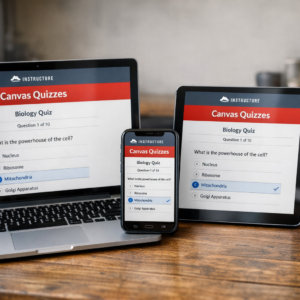
Canvas Quizzes

Online via Zoom; Connection details provided upon registration

You will need to be signed into Zoom with your csun.edu or my.csun.edu email address to join. If you are signed into the Zoom app with a different account, log… Continue reading Canvas Quizzes

Scroll back to the top of the page