Events

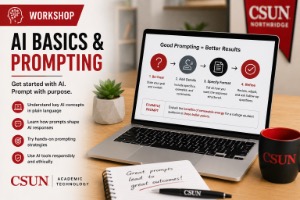
  • If you don’t know AI Basics, now is the time to learn!

    Online via Zoom; Connection details provided upon registration

    AI Basics: Getting Started with Tools, Teaching Strategies, and Responsible Use Description: Explore the fundamentals of generative AI and discover how to use it effectively in your teaching. This workshop introduces faculty to ChatGPT, Microsoft Copilot, and practical prompting techniques while highlighting CSUN-supported AI tools and resources. You'll also learn best practices for responsible AI… Continue reading If you don’t know AI Basics, now is the time to learn!

    PDF Accessibility Tools

    Description: This training introduces participants to the fundamentals of creating accessible PDF documents using Adobe Acrobat. Attendees will learn how to apply proper tagging techniques to ensure PDFs meet accessibility standards and are usable by individuals with disabilities. The session also highlights the importance of preserving accessibility features during the conversion process from Microsoft Word to… Continue reading PDF Accessibility Tools

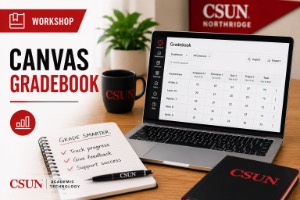
    Canvas Gradebook

    Online via Zoom; Connection details provided upon registration
    Virtual Event

    Confidently set up and organize Canvas Gradebook so your grading scheme is clearer, more efficient, and easier for students to understand Description: A well-designed Gradebook can save time, reduce grading… Continue reading Canvas Gradebook

    Features of Panopto Video, Editing, Annotating, and Captioning

    Online via Zoom; Connection details provided upon registration

    Enhance Your Recorded Lectures: Edit, Annotate, and Transform Videos with Panopto Description: Learn how to edit, annotate, and add on to your previously uploaded class recordings. With the key features from Panopto’s video editor and file management system, you can turn a recorded lecture or lesson into a prolific and engaging living document for your… Continue reading Features of Panopto Video, Editing, Annotating, and Captioning

    November | Web Accessibility Platform: PopeTech

    Description:  CSUN has a new platform for web accessibility, powered by the WAVE browser tool. This workshop will walk you through the PopeTech platform starting with your dashboard report. We’ll cover how to read PopeTech’s reports, identify action items, and use the new platform to prioritize and plan accessibility tasks. PopeTech includes support for manual… Continue reading November | Web Accessibility Platform: PopeTech

    AI Beyond the Basics (AI Fluency)

    Online via Zoom; Connection details provided upon registration

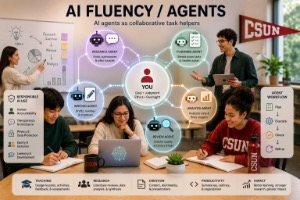
    AI Fluency: Applying AI Confidently in Teaching and Learning Description: Take your AI skills to the next level by learning how to apply generative AI effectively in academic and instructional settings. This workshop explores advanced prompting techniques, strategies for evaluating and refining AI-generated content, and practical approaches for integrating AI into authentic coursework, lesson planning,… Continue reading AI Beyond the Basics (AI Fluency)

    Just in time for finals, learn about New Canvas Quizzes

    Online via Zoom; Connection details provided upon registration

    Master Canvas Quizzes: Build Question Banks, Assign Points, and Manage Grades Description: This workshop provides an overview of building and using quizzes in your Canvas course. Topics will include: Creating questions and question banks, Assigning points, and Gradebook Hosted by: Herbert Serrano, MLIS Register Now!

    Canvas Insights

    Online via Zoom; Connection details provided upon registration
    Virtual Event

    Description: This hands-on workshop shows faculty how to use CSUN’s Canvas Insights for early alerts. Canvas Insights lets faculty provide support to students who need assistance and positive feedback to… Continue reading Canvas Insights