Events

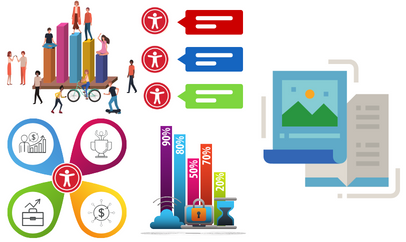
Flyers & Infographics Accessibility

Description: This session introduces best practices for designing accessible flyers and infographics. Participants will explore the importance of accessibility in visual communication and understand how to develop content that is inclusive and usable for all audiences. The session will also cover practical strategies for ensuring accessibility in both emails and infographics. Learning Objectives: Explain the… Continue reading Flyers & Infographics Accessibility


Canvas Quizzes

Online via Zoom; Connection details provided upon registration
Virtual Event Virtual Event

Hosted by Kacee Williams    This workshop provides an overview of building and using quizzes in your Canvas course. Topics will include: Creating questions and question banks, Assigning points, and Gradebook. Join this event on Zoom **If you require an ASL interpreter, please contact your department. ***For Zoom captions - please pre-enable automated captions/transcript on the Zoom website (not the… Continue reading Canvas Quizzes

Canvas HTML with ChatGPT

Online via Zoom; Connection details provided upon registration
Virtual Event Virtual Event

Hosted by Dr. Joyce Marie Brusasco   Learn how to push the layout and design of your Canvas pages to the next level by using ChatGPT to create the HTML code for you. No previous experience with HTML necessary; consider this an introduction to "vibe-coding".     Join this event on Zoom **If you require an ASL interpreter, please contact your department.… Continue reading Canvas HTML with ChatGPT

Creating Custom GPTs

Online via Zoom; Connection details provided upon registration
Virtual Event Virtual Event

Hosted by Charlie Mahoney Creating Custom GPTs – Learn how to build your own AI assistant using ChatGPT's no-code tools. This workshop covers how to upload documents, set behavior instructions, and align your GPT with course goals. We'll also discuss ethical use and share CSUN-specific examples for teaching and support.  You will need to be signed into… Continue reading Creating Custom GPTs

Free

Canva vs PowerPoint Design

Description: This session explores the differences between Canva and Microsoft PowerPoint in creating accessible flyers and infographics. Attendees will gain insight into how each platform supports accessibility features and design workflows. It is recommended that participants complete the introductory session, Flyers & Infographics Accessibility, beforehand to build foundational knowledge of best practices for designing accessible visual content.… Continue reading Canva vs PowerPoint Design

Canvas Insights

Online via Zoom; Connection details provided upon registration
Virtual Event Virtual Event

Hosted by Dr. Joyce Marie Brusasco   Discover how Canvas Insights leverages data from the course learning analytics, use filters to help you spot early-alert indicators, and quickly send tailored outreach emails.  Join this event on Zoom You will need to be signed into Zoom with your csun.edu or my.csun.edu email address to join. If you are signed into the Zoom app with a different… Continue reading Canvas Insights

Google NotebookLM for Teaching and Learning

Online via Zoom; Connection details provided upon registration
Virtual Event Virtual Event

Hosted by Dr. Deone Zell Google Notebook LM turns your course readings, lecture notes, and research articles into interactive, AI-powered workspaces. In this workshop, you’ll see how to generate instant summaries, outlines, flashcards, and even mind maps to support student learning and streamline lecture prep. We’ll also explore advanced features like audio/video overviews and collaborative notebooks, showing how they can… Continue reading Google NotebookLM for Teaching and Learning

Engage Students with Poll Everywhere

Online via Zoom; Connection details provided upon registration
Virtual Event Virtual Event

Hosted by Charlie Mahoney    Poll Everywhere is an interactive, web-based student response system that engages learners through activities like word clouds, Q&A, and polls. Students can participate using a computer, tablet, or phone, and instructors can integrate responses with Canvas for grading. This workshop will cover getting started with Poll Everywhere, exploring activity types such as word… Continue reading Engage Students with Poll Everywhere

Scroll back to the top of the page