Events

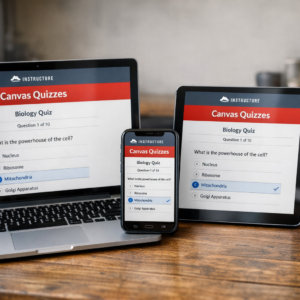
Canvas Quizzes

Online via Zoom; Connection details provided upon registration
Virtual Event Virtual Event

Hosted by Kacee Williams    This workshop provides an overview of building and using quizzes in your Canvas course. Topics will include: Creating questions and question banks, Assigning points, and Gradebook. Join this event on Zoom **If you require an ASL interpreter, please contact your department. ***For Zoom captions - please pre-enable automated captions/transcript on the Zoom website (not the… Continue reading Canvas Quizzes

AI Jam 2026 Kickoff (In-person)

Extended University 101

AI Jam 2026 is a campus-wide innovation competition inviting students from all majors to explore how artificial intelligence and emerging technologies are shaping our lives, our communities, and our future. Working individually or in teams of two, students will submit a short video outlining the project that presents a clear idea, question, or perspective on AI. Projects may: Propose a concept or solution Examine ethical or social… Continue reading AI Jam 2026 Kickoff (In-person)

Canvas HTML with ChatGPT

Online via Zoom; Connection details provided upon registration
Virtual Event Virtual Event

Hosted by Dr. Joyce Marie Brusasco   Learn how to push the layout and design of your Canvas pages to the next level by using ChatGPT to create the HTML code for you. No previous experience with HTML necessary; consider this an introduction to "vibe-coding".     Join this event on Zoom **If you require an ASL interpreter, please contact your department.… Continue reading Canvas HTML with ChatGPT

Creating Custom GPTs

Online via Zoom; Connection details provided upon registration
Virtual Event Virtual Event

Hosted by Charlie Mahoney Creating Custom GPTs – Learn how to build your own AI assistant using ChatGPT's no-code tools. This workshop covers how to upload documents, set behavior instructions, and align your GPT with course goals. We'll also discuss ethical use and share CSUN-specific examples for teaching and support.  You will need to be signed into… Continue reading Creating Custom GPTs

Free

Canvas Insights

Online via Zoom; Connection details provided upon registration
Virtual Event Virtual Event

Hosted by Dr. Joyce Marie Brusasco   Discover how Canvas Insights leverages data from the course learning analytics, use filters to help you spot early-alert indicators, and quickly send tailored outreach emails.  Join this event on Zoom You will need to be signed into Zoom with your csun.edu or my.csun.edu email address to join. If you are signed into the Zoom app with a different… Continue reading Canvas Insights

Get More Done with Microsoft 365

Virtual Event Virtual Event

Instructor: Darrin Campbell Hosted with the Faculty Technology Center Get More Done with Microsoft 365 is a faculty workshop introducing CSUN's core Microsoft 365 tools (Word, Excel, PowerPoint, OneDrive, Outlook, Teams, OneNote, Loop, and Copilot AI) as a unified collaboration ecosystem. The session demonstrates how these tools enable effective collaboration with colleagues and students through file… Continue reading Get More Done with Microsoft 365

Google NotebookLM for Teaching and Learning

Online via Zoom; Connection details provided upon registration
Virtual Event Virtual Event

Hosted by Dr. Deone Zell Google Notebook LM turns your course readings, lecture notes, and research articles into interactive, AI-powered workspaces. In this workshop, you’ll see how to generate instant summaries, outlines, flashcards, and even mind maps to support student learning and streamline lecture prep. We’ll also explore advanced features like audio/video overviews and collaborative notebooks, showing how they can… Continue reading Google NotebookLM for Teaching and Learning

Engage Students with Poll Everywhere

Online via Zoom; Connection details provided upon registration
Virtual Event Virtual Event

Hosted by Charlie Mahoney    Poll Everywhere is an interactive, web-based student response system that engages learners through activities like word clouds, Q&A, and polls. Students can participate using a computer, tablet, or phone, and instructors can integrate responses with Canvas for grading. This workshop will cover getting started with Poll Everywhere, exploring activity types such as word… Continue reading Engage Students with Poll Everywhere

Improving Accessibility in Canvas: Small Changes, Big Impact 

In this workshop, faculty will explore practical, easy-to-implement strategies for improving accessibility in Canvas using built-in tools and best practices. The new tool in Canvas called "Tidyup" will be featured. There will be concrete tips shared to apply immediately to make courses more inclusive, accessible, and student-friendly. Date: Monday, March 23 Time: Noon to 1… Continue reading Improving Accessibility in Canvas: Small Changes, Big Impact 

Classroom Technology Essentials

UL 30

Instructors: Dominic Little and Megan Duncan Learn how to leverage classroom technology tools to enrich the teaching and learning experience—without getting bogged down in the mechanics. By spending less time figuring out how the technology works, you can focus more fully on engaging with your students. This in-person workshop guides participants in effectively using classroom… Continue reading Classroom Technology Essentials

Classroom Technology: Hands-On Training Session (In-person)

UL 30

Hosted by: Dominic Little and Megan Duncan Jones Learn how to leverage classroom technology tools to enrich the teaching and learning experience—without getting bogged down in the mechanics. By spending less time figuring out how the technology works, you can focus more fully on engaging with your students. This in-person workshop guides participants in effectively using classroom technology… Continue reading Classroom Technology: Hands-On Training Session (In-person)

Introduction to NotebookLM

Online via Zoom; Connection details provided upon registration
Virtual Event Virtual Event

Hosted by Charlie Mahoney  Explore Google’s Notebook LM as a tool for organizing readings, summarizing complex topics, and supporting personalized learning. Learn how to import materials, generate structured study aids, and use AI responsibly to support research, teaching, and tutoring.  Join the event on Zoom *If you require an ASL interpreter, please contact your department.… Continue reading Introduction to NotebookLM

Scroll back to the top of the page