Events

Technology Event 3

Lorem ipsum dolor sit amet, consectetur adipiscing elit. Proin consequat viverra lectus, a hendrerit erat elementum eu. Donec tempus, enim vitae aliquam sagittis, tortor elit facilisis turpis, tempor pharetra velit arcu at sem. Aenean ut odio cursus quam condimentum dapibus. Donec quis tortor molestie, pharetra nisi quis, rhoncus ligula. Vestibulum commodo tincidunt velit in accumsan.… Continue reading Technology Event 3

Free
Technology Event 2

Lorem ipsum dolor sit amet, consectetur adipiscing elit. Proin consequat viverra lectus, a hendrerit erat elementum eu. Donec tempus, enim vitae aliquam sagittis, tortor elit facilisis turpis, tempor pharetra velit arcu at sem. Aenean ut odio cursus quam condimentum dapibus. Donec quis tortor molestie, pharetra nisi quis, rhoncus ligula. Vestibulum commodo tincidunt velit in accumsan.… Continue reading Technology Event 2

Free

Technology Event 1

Lorem ipsum dolor sit amet, consectetur adipiscing elit. Proin consequat viverra lectus, a hendrerit erat elementum eu. Donec tempus, enim vitae aliquam sagittis, tortor elit facilisis turpis, tempor pharetra velit arcu at sem. Aenean ut odio cursus quam condimentum dapibus. Donec quis tortor molestie, pharetra nisi quis, rhoncus ligula. Vestibulum commodo tincidunt velit in accumsan.… Continue reading Technology Event 1

Free

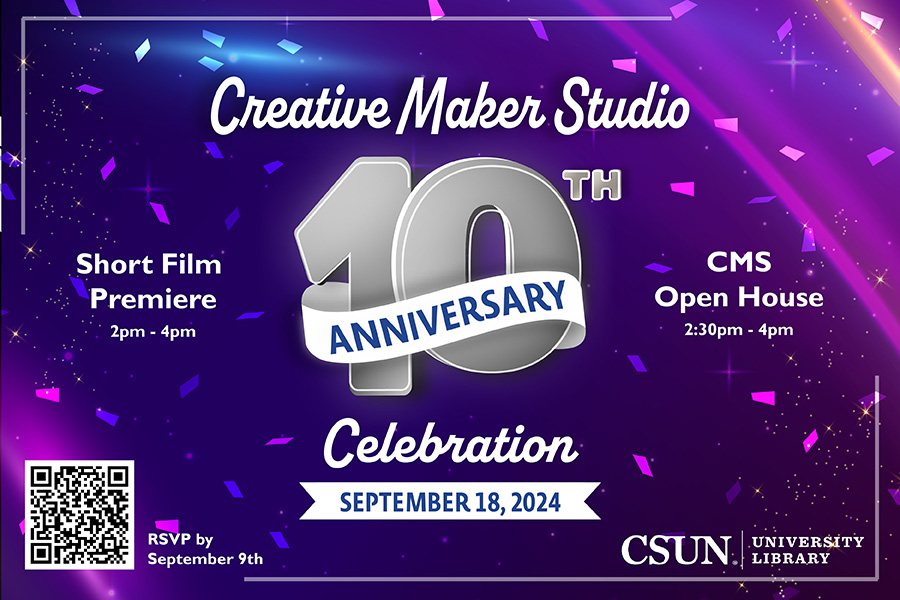
Creative Maker Studio 10th Anniversary Celebration (Sept. 18, 2024)

University Library: Ferman Presentation Room and the Creative Maker Studio 18111 Nordhoff Street, Northridge, United States

You're Invited! Join Us for a Spectacular Afternoon of Celebration! We are thrilled to announce a special event inside the University Library that combines the magic of cinema with a milestone celebration. Please join us for the premiere of our short film followed by an open house to commemorate the 10th anniversary of our beloved… Continue reading Creative Maker Studio 10th Anniversary Celebration (Sept. 18, 2024)

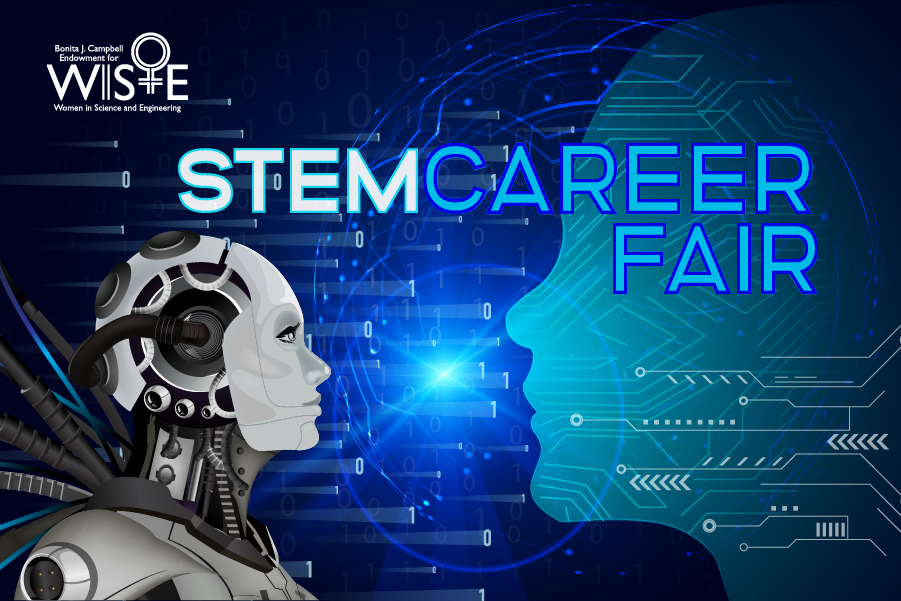
STEM Career Fair: Connect and Network (Sept. 19, 2024)

University Library: Jack & Florence Ferman Presentation Room

The Bonita J. Campbell Endowment for Women in Science and Engineering (WISE) invites you to an exciting opportunity to meet and network with employers and other job seekers in person. The Career Fair event supports professional growth and career opportunities with a focus on inclusivity and equal opportunity for college students, both undergraduate and graduate… Continue reading STEM Career Fair: Connect and Network (Sept. 19, 2024)

Free

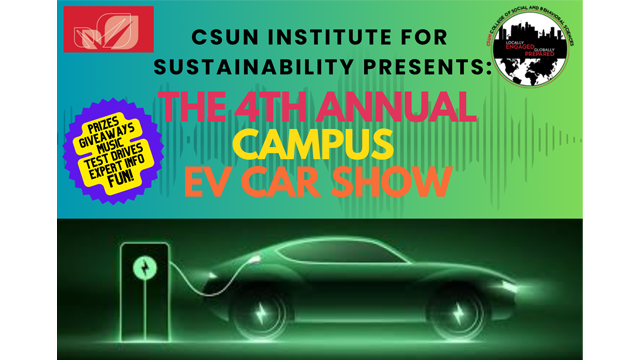
4th Annual CSUN EV Car Show

Corner of Lindley Avenue and Vincennes Street (next to the USU)

About this Event Discover the future of sustainable transportation at CSUN’s Fourth Annual Electric Car Show! Hosted by the Institute for Sustainability and the College of Social and Behavioral Sciences, this event offers hands-on experiences with cutting-edge electric vehicles from top brands like Ford, Polestar, Volvo, Toyota, Lucid Motors, Rivian, and Tesla. Don’t miss the… Continue reading 4th Annual CSUN EV Car Show

LinkedIn for Faculty Workshop

You will need to be signed into Zoom with your csun.edu or my.csun.edu email address to join. If you are signed into the Zoom app with a different account, log out of Zoom, and select the Single Sign-On (SSO) button near the bottom. If Zoom asks for a domain enter csun, and you will be… Continue reading LinkedIn for Faculty Workshop

Lockdown Browser (in person)

University Library Room 30

Hosted by Charlie Mahoney  IN PERSON Workshop UL 30   This in-person workshop helps faculty use LockDown Browser to secure quizzes and exams in Canvas, while also learning how to guide students through downloading, installing, and testing the tool. We’ll walk through enabling LockDown in your course, explore Respondus Monitor options, and troubleshoot common student issues. You’ll leave with a quiz-ready setup, student instructions, and FTC… Continue reading Lockdown Browser (in person)

Lockdown Browser (in person)

University Library Room 30

Hosted by Charlie Mahoney  IN PERSON Workshop UL 30   This in-person workshop helps faculty use LockDown Browser to secure quizzes and exams in Canvas, while also learning how to guide students through downloading, installing, and testing the tool. We’ll walk through enabling LockDown in your course, explore Respondus Monitor options, and troubleshoot common student issues. You’ll leave with a quiz-ready setup, student instructions, and FTC… Continue reading Lockdown Browser (in person)

Scroll back to the top of the page