Events

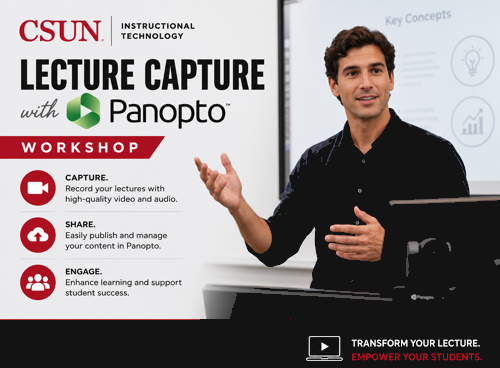
Transitioning to Panopto from Canvas Studio

Online via Zoom; Connection details provided upon registration

To register via Microsoft Bookings, click on the Register for this event link. Go to the date of the workshop and select the time in the Bookings calendar, and scroll down and click the red Book button. Register for this event As part of the broader HEERF Software Tools Transition, this workshop is designed for instructors… Continue reading Transitioning to Panopto from Canvas Studio

Getting Started Creating Course Videos in Panopto

Online via Zoom; Connection details provided upon registration

To register via Microsoft Bookings, click on the Register for this event link. Go to the date of the workshop and select the time in the Bookings calendar, and scroll down and click the red Book button. Register for this event Learn how to start recording your own instructional video content for your Canvas courses in… Continue reading Getting Started Creating Course Videos in Panopto

HEERF Tools Transition Clinic

Online via Zoom; Connection details provided upon registration

Register for this event This drop-in support session, hosted via Zoom by the Faculty Technology Center (FTC), provides faculty with direct assistance in transitioning from Canvas Studio, Pronto, Hypothesis, and H5P to alternative tools. Whether you have specific questions, need hands-on guidance, or want to explore new solutions, our team is here to help. For… Continue reading HEERF Tools Transition Clinic

HEERF Tools Transition Clinic

Online via Zoom; Connection details provided upon registration

Register for this event This drop-in support session, hosted via Zoom by the Faculty Technology Center (FTC), provides faculty with direct assistance in transitioning from Canvas Studio, Pronto, Hypothesis, and H5P to alternative tools. Whether you have specific questions, need hands-on guidance, or want to explore new solutions, our team is here to help. For… Continue reading HEERF Tools Transition Clinic

HEERF Tools Transition Clinic

Online via Zoom; Connection details provided upon registration

Register for this event This drop-in support session, hosted via Zoom by the Faculty Technology Center (FTC), provides faculty with direct assistance in transitioning from Canvas Studio, Pronto, Hypothesis, and H5P to alternative tools. Whether you have specific questions, need hands-on guidance, or want to explore new solutions, our team is here to help. For… Continue reading HEERF Tools Transition Clinic

Getting Started Creating Course Videos in Panopto

Online via Zoom; Connection details provided upon registration

You will need to be signed into Zoom with your csun.edu or my.csun.edu email address to join. If you are signed into the Zoom app with a different account, log out of Zoom, and select the Single Sign-On (SSO) button near the bottom. If Zoom asks for a domain enter csun, and you will be… Continue reading Getting Started Creating Course Videos in Panopto

Engage Student Knowledge Retention using Panopto Video Quizzes

Online via Zoom; Connection details provided upon registration

You will need to be signed into Zoom with your csun.edu or my.csun.edu email address to join. If you are signed into the Zoom app with a different account, log out of Zoom, and select the Single Sign-On (SSO) button near the bottom. If Zoom asks for a domain enter csun, and you will be… Continue reading Engage Student Knowledge Retention using Panopto Video Quizzes

Editing, Annotating, and Improving Panopto Videos

Online via Zoom; Connection details provided upon registration

You will need to be signed into Zoom with your csun.edu or my.csun.edu email address to join. If you are signed into the Zoom app with a different account, log out of Zoom, and select the Single Sign-On (SSO) button near the bottom. If Zoom asks for a domain enter csun, and you will be… Continue reading Editing, Annotating, and Improving Panopto Videos

Getting Started with Panopto

Online via Zoom; Connection details provided upon registration

Host: Mitchell Nagy Learn how to edit, annotate, and add on to your previously uploaded class recordings. With the key features from Panopto’s video editor and file management system, you can turn a recorded lecture or lesson into a prolific and engaging living document for your upcoming courses! Register for the workshop You will need… Continue reading Getting Started with Panopto

Getting Started with Panopto

Online via Zoom; Connection details provided upon registration

Host: Mitchell Nagy Learn how to start recording instructional video content for your Canvas courses using Panopto! Whether it’s a class recording, lecture, lesson, or demonstration, this workshop will show you how to access Panopto as your primary video platform. You’ll learn how to sign in with CSUN credentials, record directly in your browser or via the desktop app,… Continue reading Getting Started with Panopto

Faculty Retreat

With the Office of Faculty Senate – multiple proposals.  

Scroll back to the top of the page