Events

Creating Custom GPTs

Online via Zoom; Connection details provided upon registration
Virtual Event Virtual Event

Hosted by Charlie Mahoney Creating Custom GPTs – Learn how to build your own AI assistant using ChatGPT's no-code tools. This workshop covers how to upload documents, set behavior instructions, and align your GPT with course goals. We'll also discuss ethical use and share CSUN-specific examples for teaching and support.  You will need to be signed into… Continue reading Creating Custom GPTs

Free

Canva vs PowerPoint Design

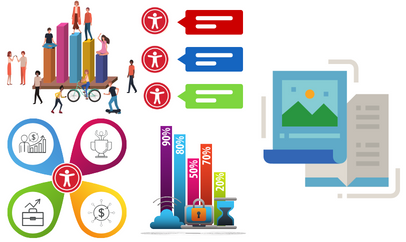
Description: This session explores the differences between Canva and Microsoft PowerPoint in creating accessible flyers and infographics. Attendees will gain insight into how each platform supports accessibility features and design workflows. It is recommended that participants complete the introductory session, Flyers & Infographics Accessibility, beforehand to build foundational knowledge of best practices for designing accessible visual content.… Continue reading Canva vs PowerPoint Design

Canvas Insights

Online via Zoom; Connection details provided upon registration
Virtual Event Virtual Event

Hosted by Dr. Joyce Marie Brusasco   Discover how Canvas Insights leverages data from the course learning analytics, use filters to help you spot early-alert indicators, and quickly send tailored outreach emails.  Join this event on Zoom You will need to be signed into Zoom with your csun.edu or my.csun.edu email address to join. If you are signed into the Zoom app with a different… Continue reading Canvas Insights

Get More Done with Microsoft 365

Virtual Event Virtual Event

Instructor: Darrin Campbell Hosted with the Faculty Technology Center Get More Done with Microsoft 365 is a faculty workshop introducing CSUN's core Microsoft 365 tools (Word, Excel, PowerPoint, OneDrive, Outlook, Teams, OneNote, Loop, and Copilot AI) as a unified collaboration ecosystem. The session demonstrates how these tools enable effective collaboration with colleagues and students through file… Continue reading Get More Done with Microsoft 365

Lockdown Browser (in person)

University Library Room 30

Hosted by Charlie Mahoney  IN PERSON Workshop UL 30   This in-person workshop helps faculty use LockDown Browser to secure quizzes and exams in Canvas, while also learning how to guide students through downloading, installing, and testing the tool. We’ll walk through enabling LockDown in your course, explore Respondus Monitor options, and troubleshoot common student issues. You’ll leave with a quiz-ready setup, student instructions, and FTC… Continue reading Lockdown Browser (in person)

AI in Adobe Express

Online via Zoom; Connection details provided upon registration
Virtual Event Virtual Event

Hosted by Megan Duncan Jones Discover how Adobe Express’s AI-powered features can help you create stunning course visuals, handouts, presentations, and marketing materials. Learn to generate images, refine layouts, and… Continue reading AI in Adobe Express

Transparent, Ethical, and Student-Centered AI Syllabus Statements

Online via Zoom; Connection details provided upon registration
Virtual Event Virtual Event

Hosted by Dr. Carmen Saunders-Russell - Academic Technology Fellow Develop clear, principled AI syllabus statements that align with academic integrity, transparency, and student learning outcomes. This session provides adaptable policy… Continue reading Transparent, Ethical, and Student-Centered AI Syllabus Statements

Scroll back to the top of the page