Events

  • Let your students “show off” their work with ePortfolio

    Online via Zoom; Connection details provided upon registration
    Virtual Event

    Empowering Student Growth Through ePortfolios, which can serve as an AI-resistant assignment Description: Join us to learn more about ePortfolios and how to incorporate them into your classes. Meet with our ePortfolio Coordinator as they highlight the ways ePortfolios can be used to help your students grow into professionals. Discover the power of ePortfolios! Join… Continue reading Let your students “show off” their work with ePortfolio

    Building Rubrics for Easier Grading in Canvas

    Online via Zoom; Connection details provided upon registration

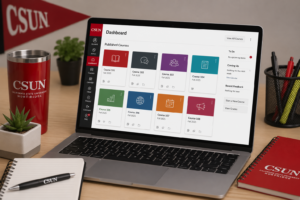
    Design Canvas rubrics that streamline grading and clarify expectations. Description: Learn how to design and build effective Canvas rubrics that streamline grading, clarify expectations, and support consistent feedback. This hands-on workshop will walk through rubric setup, best practices, and tips for aligning rubrics with learning outcomes. Hosted by: Kacee Williams, M. Ed. Register Now!  

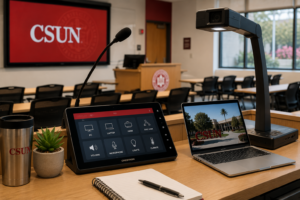
    Teaching in-person? Come learn the classroom technology

    Online via Zoom; Connection details provided upon registration

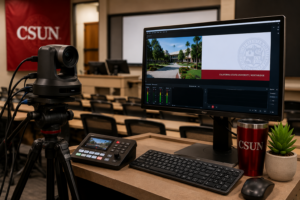
    Tagline: Get hands-on with classroom lecture capture technology. Learn best practices for recording high-quality sessions and supporting hybrid learning. Description: Learn how to leverage classroom technology tools to enrich the teaching and learning experience—without getting bogged down in the mechanics. By spending less time figuring out how the technology works, you can focus more fully… Continue reading Teaching in-person? Come learn the classroom technology

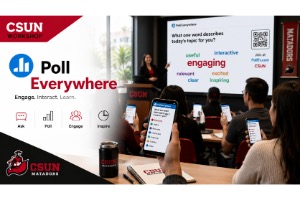
    Want to be interactive with your students in your classes? Check out Poll Everywhere

    Online via Zoom; Connection details provided upon registration
    Virtual Event

    Engage Your Class with Poll Everywhere: Create Interactive Polls, Word Clouds, and More Description: Poll Everywhere is an interactive, web-based student response system that engages learners through activities like word clouds, Q&A, and polls. Students can participate using a computer, tablet, or phone, and instructors can integrate responses with Canvas for grading. This workshop will… Continue reading Want to be interactive with your students in your classes? Check out Poll Everywhere

    Check out the New Quizzes feature inside Canvas

    Online via Zoom; Connection details provided upon registration

    Master Canvas Quizzes: Build Question Banks, Assign Points, and Manage Grades Description: This workshop provides an overview of building and using quizzes in your Canvas course. Topics will include: Creating questions and question banks, Assigning points, and Gradebook Hosted by: Avo Topjian Register Now!

    Building Rubrics for Easier Grading in Canvas

    Online via Zoom; Connection details provided upon registration

    Design Canvas rubrics that streamline grading and clarify expectations. Description: Learn how to design and build effective Canvas rubrics that streamline grading, clarify expectations, and support consistent feedback. This hands-on workshop will walk through rubric setup, best practices, and tips for aligning rubrics with learning outcomes. Hosted by: Kacee Williams, M. Ed. Register Now!  

    Early Alerts & Student Outreach Utilize Canvas Insights

    Online via Zoom; Connection details provided upon registration

    Discover how Canvas Insights transforms course analytics into actionable student support. Description: Discover how Canvas Insights leverages data from the course learning analytics, and use filters to help you spot early-alert indicators, and quickly send tailored outreach emails. Hosted by: JMB, HS, SM Register Now!

    Put quiz questions into your course videos, use Panopto Quizzes

    Online via Zoom; Connection details provided upon registration

    Enhance Learning with Panopto Video Quizzes: Embed Questions, Engage Students, and Integrate with Canvas Description: This workshop introduces faculty to Panopto's Video Quiz function, which allows instructors to embed quiz questions directly into lecture videos. Participants will learn: how to insert quiz questions into Panopto videos, The types of questions available for student engagement, How… Continue reading Put quiz questions into your course videos, use Panopto Quizzes

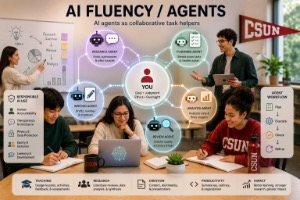
    AI Beyond the Basics (AI Fluency)

    Online via Zoom; Connection details provided upon registration

    AI Fluency: Applying AI Confidently in Teaching and Learning Description: Move beyond the basics and develop the practical skills needed to use AI strategically. This session focuses on applied AI problem-solving, evaluating outputs, and integrating AI into authentic coursework and academic tasks. Hosted by: Charles Mahoney, M. Ed. Register Now!

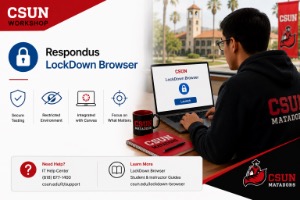
    Do you use Canvas Quizzes? Check out the LockDown Browser

    Online via Zoom; Connection details provided upon registration

    Secure your Canvas exams and support your students with LockDown Browser - including guided installation and troubleshooting help. Description: This in-person workshop helps faculty use LockDown Browser to secure quizzes and exams in Canvas, while also learning how to guide students through downloading, installing, and testing the tool. We’ll walk through enabling LockDown in your… Continue reading Do you use Canvas Quizzes? Check out the LockDown Browser

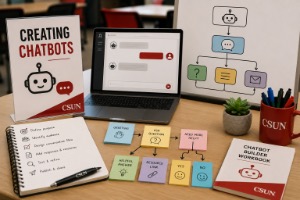
    Learn how to Create Custom ChatBots to share with your students

    Online via Zoom; Connection details provided upon registration

    Build Your Own AI Assistant: Creating Custom GPTs Description: Creating Custom GPTs - Learn how to build your own AI assistant using ChatGPT's no-code tools. This workshop covers how to upload documents, set behavior instructions, and align your GPT with course goals. We'll also discuss ethical use and share CSUN-specific examples for teaching and support.… Continue reading Learn how to Create Custom ChatBots to share with your students

    Create lecture videos to insert into your course with Panopto

    Online via Zoom; Connection details provided upon registration

    Get Started with Panopto: Record, Edit, and Manage Videos for Your Canvas Courses Description: Learn how to start recording instructional video content for your Canvas courses using Panopto! Whether it’s a class recording, lecture, lesson, or demonstration, this workshop will show you how to access Panopto as your primary video platform. You’ll learn how to… Continue reading Create lecture videos to insert into your course with Panopto